Reading the docs…
Stopped.
Choose Changes, then Review and push, to open the push sheet.
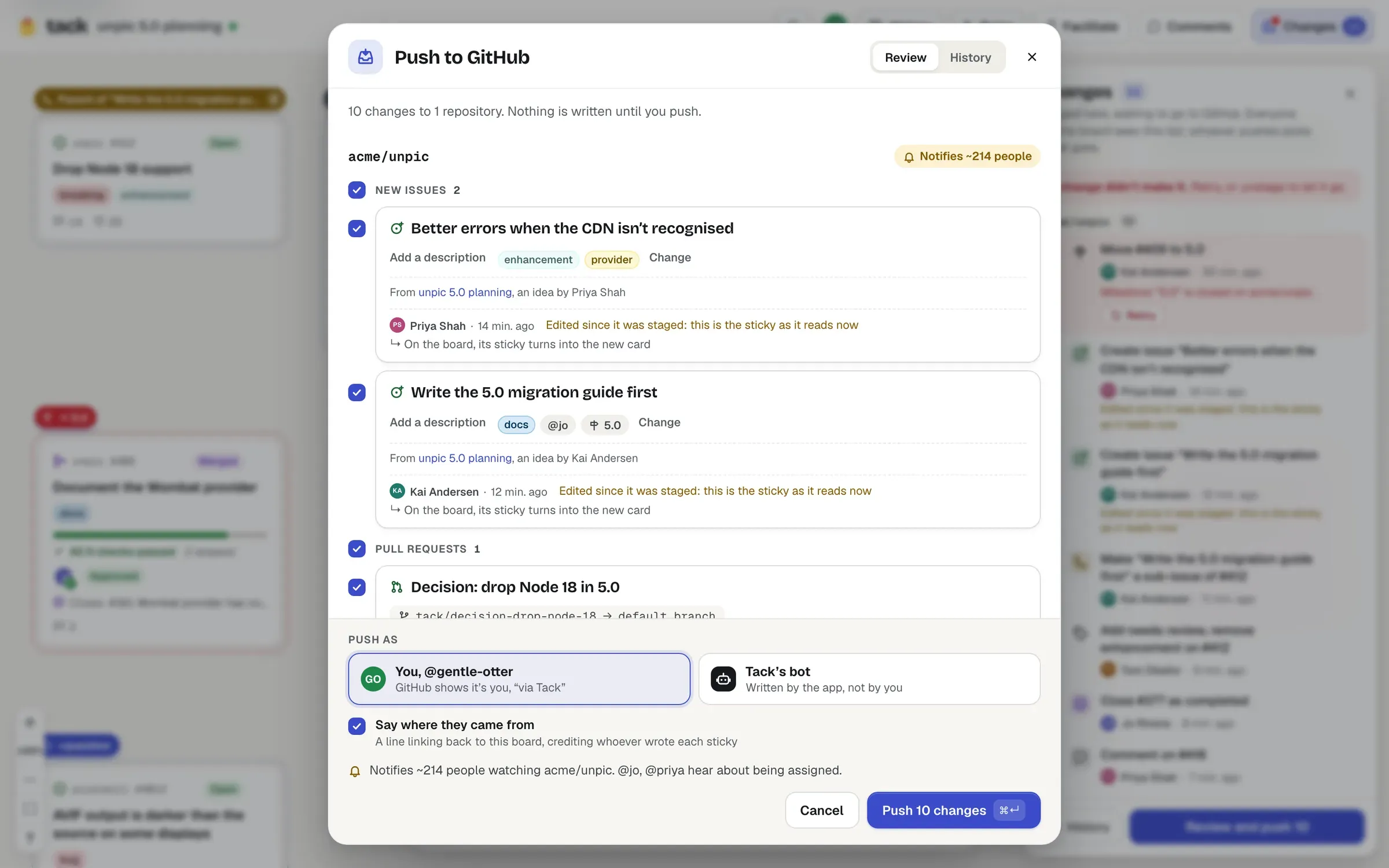
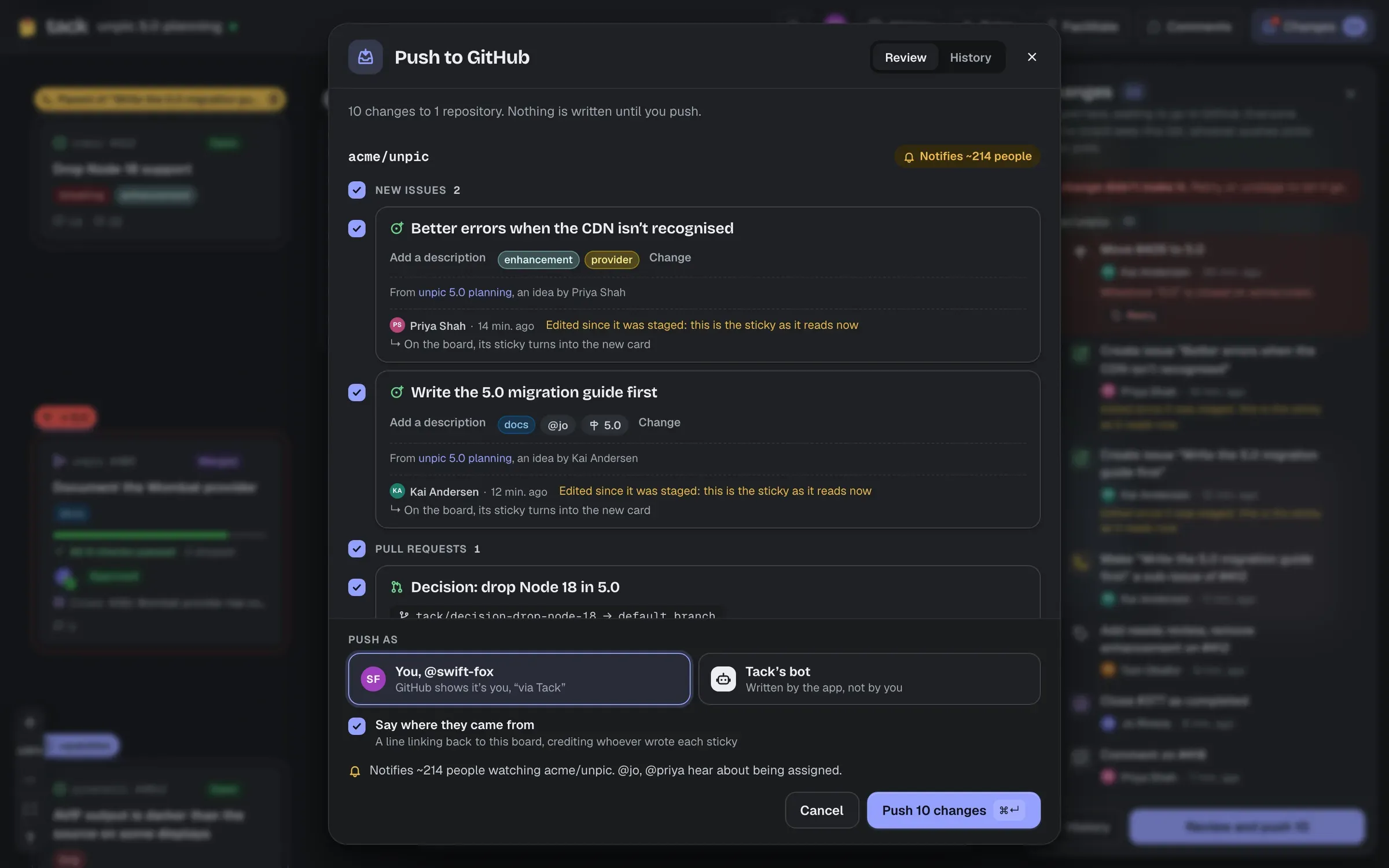
The sheet groups the changes by repository, then by kind: new issues, pull requests, discussions, sub-issues, blocked-by, labels, assignees, milestones, closing and reopening, and comments.
Push as has two choices, remembered in your browser:
Either way, Tack checks that you can write to every repository first, and the app must be installed there.
Choose Push N changes (⌘ Enter).
| The sheet says | Because | What to do |
|---|---|---|
| Sign in to push | Pushing writes as a person, so Tack needs to know who you are | Sign in with GitHub |
| You can stage but not push here | GitHub says you can’t write to the repository | Someone with write access can push, or leave those changes out |
| Install the app on these repos | The GitHub App isn’t installed there | Install the app, or leave them out |
| A change needs an issue that isn’t in this push | A change refers to a new issue you left out; the sheet names both | Include it |
| Couldn’t start the push | Another push is still going, or the changes changed meanwhile | Try again: nothing is ever sent twice |
Tack writes one change at a time, a second apart, in dependency order (new issues before the changes about them), though the sheet lists them in the order you reviewed them. A longer push says roughly how long it has left (“About 40 s left”). You can close the sheet: the push carries on, and the changes panel follows along. Everyone on the board sees it.
Each change goes Waiting its turn → Sending… → Sent, waiting for GitHub to confirm → On GitHub, linking to what it wrote. When they’re all done: “All N changes are on GitHub”.
Confirming is what makes a push trustworthy. Changes a card can show (new issues and pull requests, labels, assignees, state) count as done only when the card shows them, from GitHub’s webhook. If that hasn’t happened within two minutes, Tack fetches the item to check, and if it still doesn’t show the change, it fails: “GitHub accepted this, but owner/repo#12 didn’t show it within 2 minutes.” That usually means webhooks aren’t arriving: see Troubleshooting.
Changes no card shows (milestones, sub-issues, blocked-by, comments, discussions) are done when GitHub accepts them.
When it’s done, the board catches up by itself: stickies turn into their issues’ cards in place, a parent issue’s card lands above its section connected to its sub-issues, and a decision shows its pull request. Cards are wider than stickies, so as a push starts, rows of stickies about to become cards spread out just enough for each card to fit, and sections grow to keep them: a pushed brainstorm doesn’t turn into a pile of overlapping cards.
A sub-issue being moved says so wherever it shows: “Move #5 from #4 to “Resizing”” in the changes panel, push sheet and history, “Moves to “Resizing” from #4” on its card’s mark. Moving one that’s already under the new parent does nothing more.
Tack never writes anything twice. A change being pushed or already done is never pushed again, and a retried create first looks for what an unanswered earlier attempt made.
History, in the changes panel or the push sheet, is the board’s audit log of pushes (not to be confused with the board’s history, in the top bar): every push, who pushed it and as whom (“as Tack’s bot”), when, and each change with its status, linking to what it wrote on GitHub. Anyone who can open the board can read it. The board keeps its last 200 pushes.