Reading the docs…
Stopped.
A decision is a shape for something the team is settling: proposed, voted on, decided, and eventually superseded. Once decided, it can be written back to GitHub as an architecture decision record (ADR) or a Discussion post.
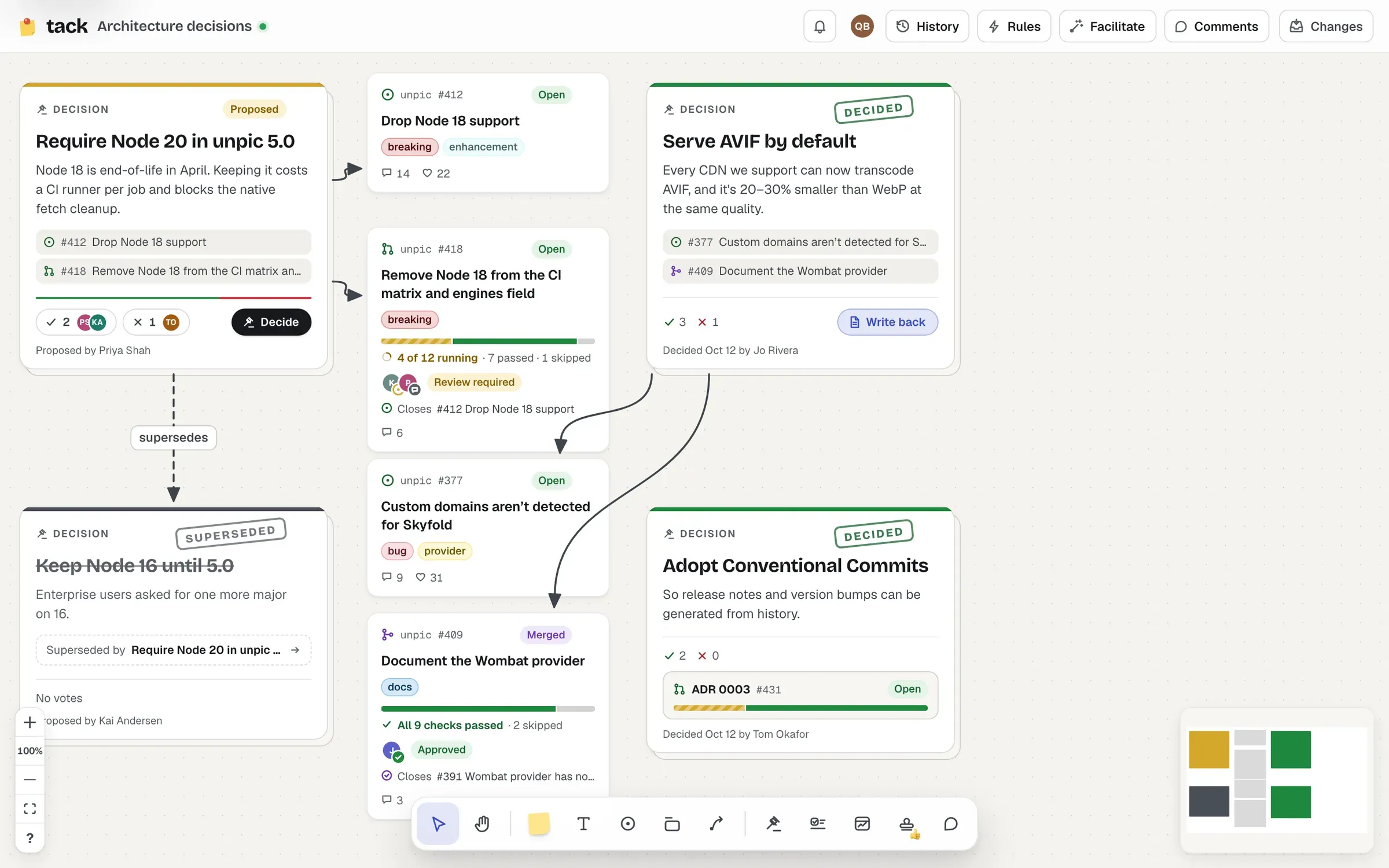
Press D and click to place one. Type the title (“What did you decide?”), press Enter for the body (“The decision, and why”), and Esc or ⌘ Enter to finish.
Or let AI draft one from a discussion: select its stickies and cards (or its section) and choose Decide in the bar (⌥ ⇧ D).
Connect it to the issues it settles: every card at the other end of a connector touching the decision is one of its linked items, listed on it.
While a decision is Proposed, anyone who can edit the board can vote Agree or Disagree. Each person has one vote: click the other option to change it, or the same one again to take it back. Voters’ initials show beside the counts.
Choose Decide to mark it decided, with who decided it and when. While anyone has voted against it, Decide asks once more (“Decide anyway”, over how the vote stands, such as “3 agree, 1 disagree”), so nobody decides mid-vote by accident. The Decision options menu has the rest:
A superseded decision says what superseded it, and links to it.
Once a decision is decided, choose Write back. It can become:
docs/decisions/ on its own branch, for review. When the pull request merges, the decision shows Merged, with no one touching the board.Either way it’s staged with the board’s other changes, and nothing is written until someone pushes. See Decision records.