Reading the docs…
Stopped.
Tack can use AI for three things on a board: setting up a widget from a description, summarising what’s selected, and drafting a decision from it. Everything it comes up with is shown to you first, to read, edit or throw away. Nothing goes on the board until you place it, and then it’s your own edit, undone in one step like any other.
It’s for the board’s editors, and only where the instance has AI suggestions on (see Turning it off): where they’re off, none of what’s below is there.
Press W (or choose Widget in the toolbar), and type what you want to see in Ask for one at the top of the picker: “open bugs in ascorbic/unpic”, “pull requests waiting for my review”, “what merged in the last two weeks”, “issues nobody’s touched for a month”. Press Enter.
The AI picks the kind of widget that fits and fills in its settings, using the board’s repositories when you don’t name one. Tack checks the settings against what that kind accepts, and asks the AI again if they don’t fit. You see:
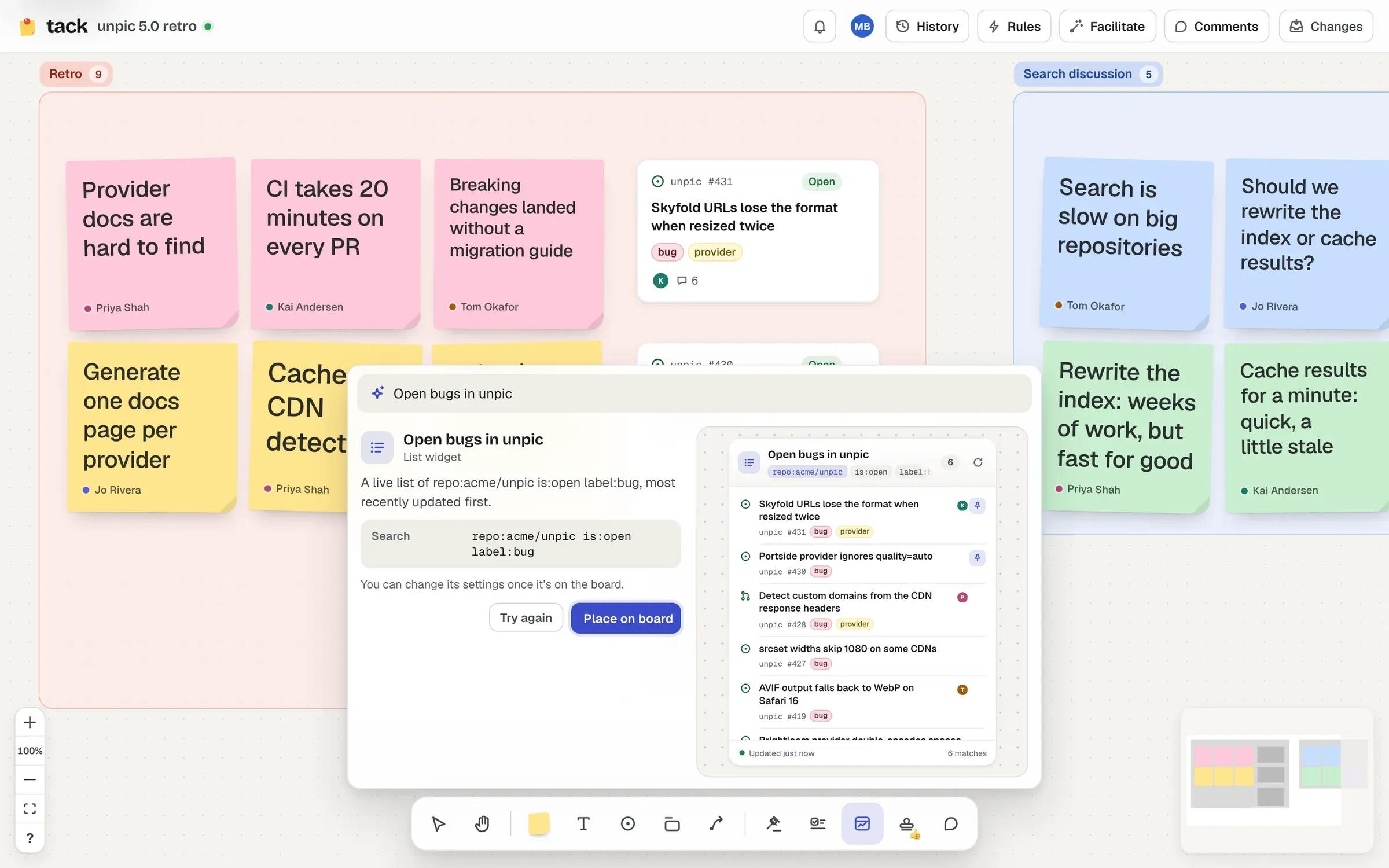
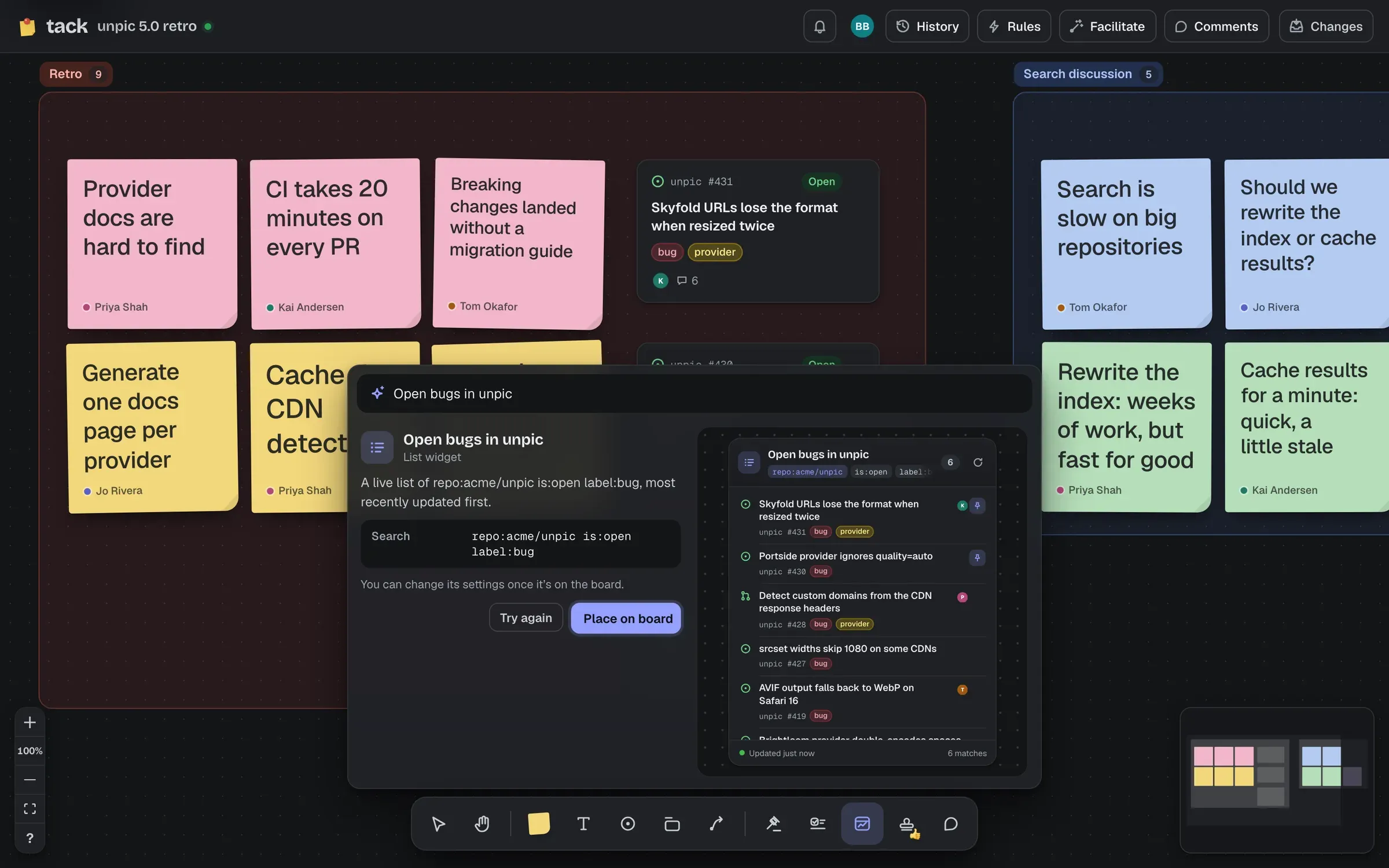
Place on board (or Enter) puts it in view. Change your words and press Enter to ask again, or Pick one yourself to go back to the picker. Once it’s placed it’s an ordinary widget: its settings are editable like any other’s, and everyone sees its results as they may read them.
Select a few stickies, cards and notes, or a section on its own, and choose Summarise in the bar below the selection (⌥ ⇧ S). After a moment, a short summary with its main themes opens in the panel, ready to edit. Place summary (⌘ Enter) puts it beside the selection as a text block.
Select a discussion (stickies, cards, a section) and choose Decide in its bar (⌥ ⇧ D). The AI drafts the decision to be made, its context, and the options the items raise, without choosing between them. Edit it, then Place decision: it goes beside the selection as a proposed decision, connected to the selection’s cards (up to eight), ready to vote on. Writing it back to GitHub works as for any decision, through pending changes.
Only what you selected, and only what you could read yourself:
When asking for a widget, it reads the board’s repositories (those you can read), its sections’ names and today’s date, and nothing else. Widgets’ results are never sent to it.
The AI never writes anything to the board or to GitHub by itself. What it reads, and what it answers, isn’t kept or logged by Tack.
Each board allows 12 AI requests a minute and 120 an hour, and each person 6 a minute on a board. Past that, it says so, and to try again in a moment.
AI runs on Workers AI in the instance’s own Cloudflare account. It’s part of the instance’s AI suggestions, with stacks’ names: admins can see whether they’re on in /setup, and turn them off with the TACK_AI setting. See Configuration and Costs.