Reading the docs…
Stopped.
Everyone gets a few dots to put on what matters most. A vote can last a few minutes in a session, or stay open for days.
Then choose:
| Setting | Choices |
|---|---|
| Dots each | 1 to 20 (3 to start with) |
| Closes | When it’s closed, in 2, 5 or 10 minutes, after a custom number of minutes (1 to 480), in an hour, tomorrow, in 3 days or in a week. Short votes count down by the second. |
| Hide results until it closes | Others’ dots aren’t shown until then, “so nobody follows the crowd” |
| Count 👍 on GitHub as votes | Each 👍 reaction on a card’s issue or pull request counts once (off unless you turn it on, so what’s popular on GitHub doesn’t outvote the room) |
Start voting. Only people who can edit the board can start votes, and vote.
Hiding results is a courtesy, not a secret: the dots are part of the board.
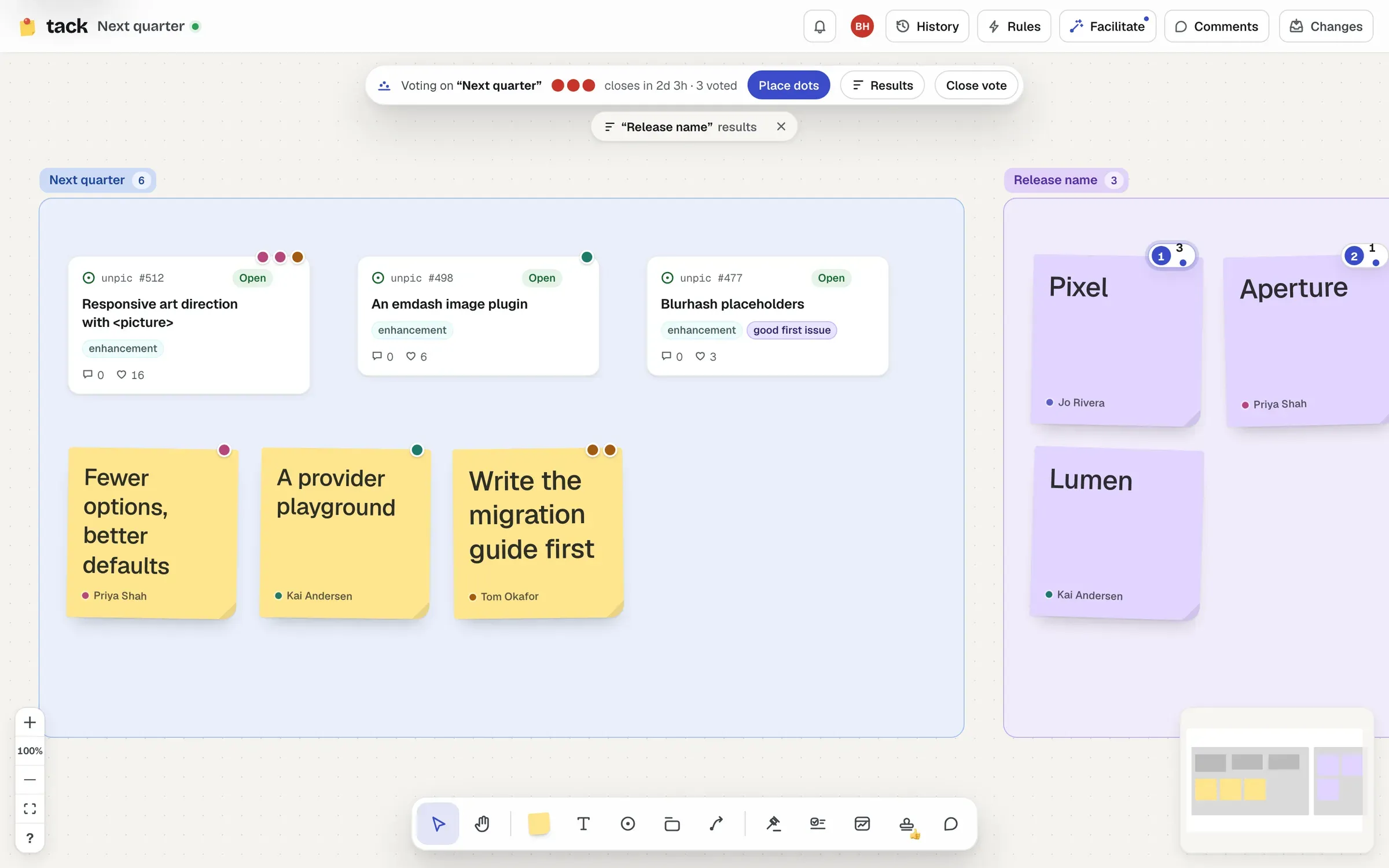
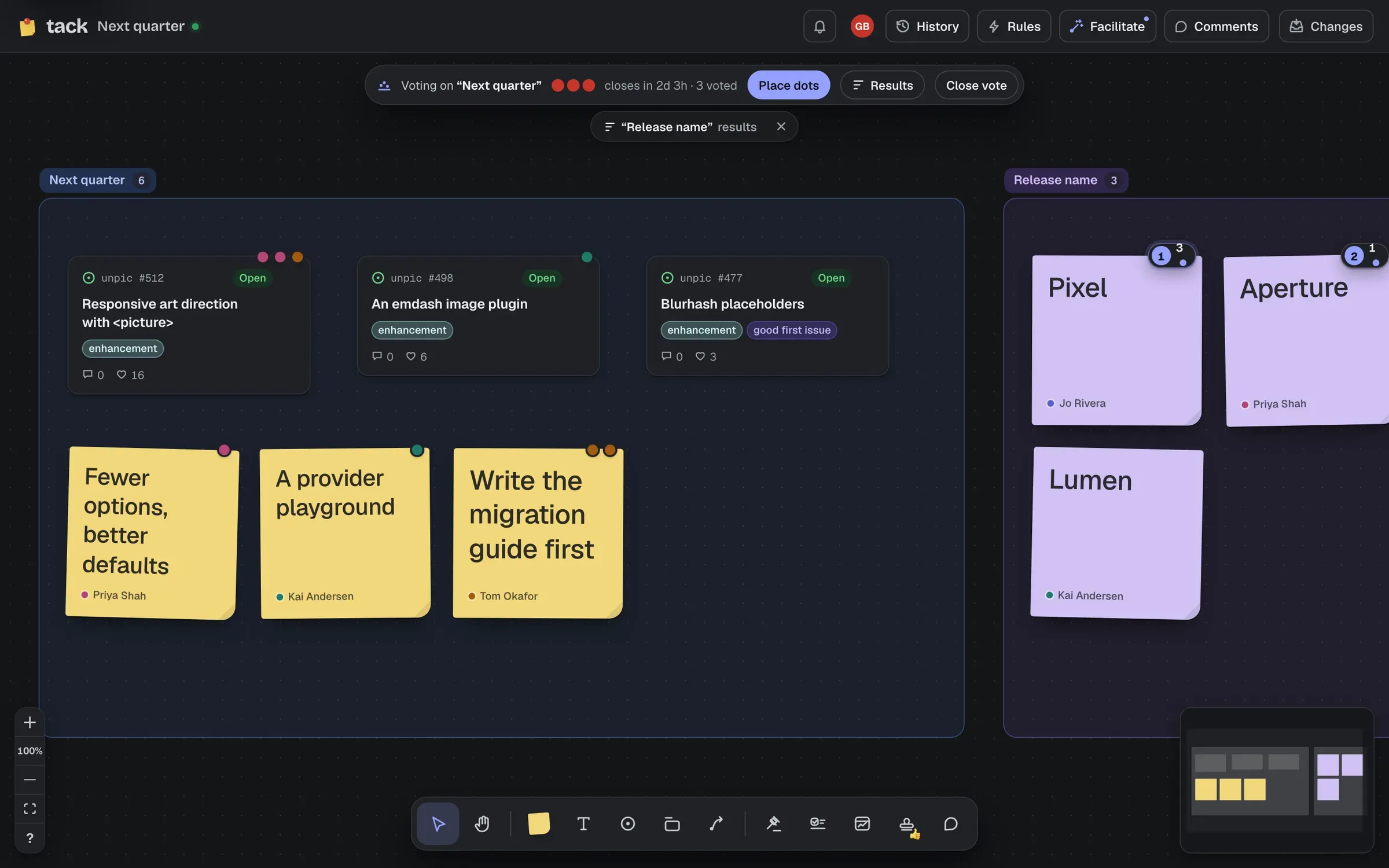
The vote’s bar at the top of the board shows how many dots you have left and when it closes. Choose Place dots, then click stickies, cards, text or decisions to put dots on them. You can put several on one thing. Click one of your dots to take it back.
A shape’s dots go to the closest vote around it: a section’s vote if it’s in one, otherwise the board’s.
If a vote closes within a day and you still have dots, Tack reminds you once: “Voting closes in 3h: you have 2 dots left”.
Results ranks everything by its dots (ties share a rank), with who voted and, when 👍 count, how many reactions. Click a row to find it on the board.
With 👍 counting, each reaction on GitHub is a vote, but someone who reacted and also put dots on the card here is only counted once, by their dots. GitHub doesn’t send webhooks for reactions, so new ones arrive the next time the card is fetched.
A vote closes when someone chooses Close vote, or when its time runs out. Whoever started it, and the board’s owner, can close it or Reopen… it (until closed, or for 2, 5 or 10 minutes, an hour, a day, three days or a week), and Delete vote…, which asks first since everyone’s dots go with it. If whoever started it has left the board, anyone who can edit it can close or reopen it. The server puts right anything else, so a stray click can’t end someone’s vote.
When a vote closes, its results open for everyone who’s there, and each shape that got dots keeps a badge with its rank and total (the top three stand out) until you put the vote away. Choose ✕ on a closed vote’s bar to put it away, in your browser. While another vote is open, closed ones shrink to small results chips.